
Skip to content

Custom software, Minnesota

Custom software built around how your business already works

Some of the work that runs a business never makes it into a system. It lives in a spreadsheet, a paper calendar, an inbox, or one person's head. I build web apps that hold it instead: the calendar, the request inbox, the follow-up emails, the dashboard. Each one is built around your steps and your people, not the other way around.

In a browser
Nothing to install
Phone or desk
Built for both
Your roles
Each person sees their part
Rental manager dashboard showing the next open dates, requests waiting, and balances owed
Shown with sample data.

The work

Software I've built for Minnesota teams

Coon Lake Community & Senior Center

Rental manager and volunteer board

Rental calendar, request inbox, volunteer signups

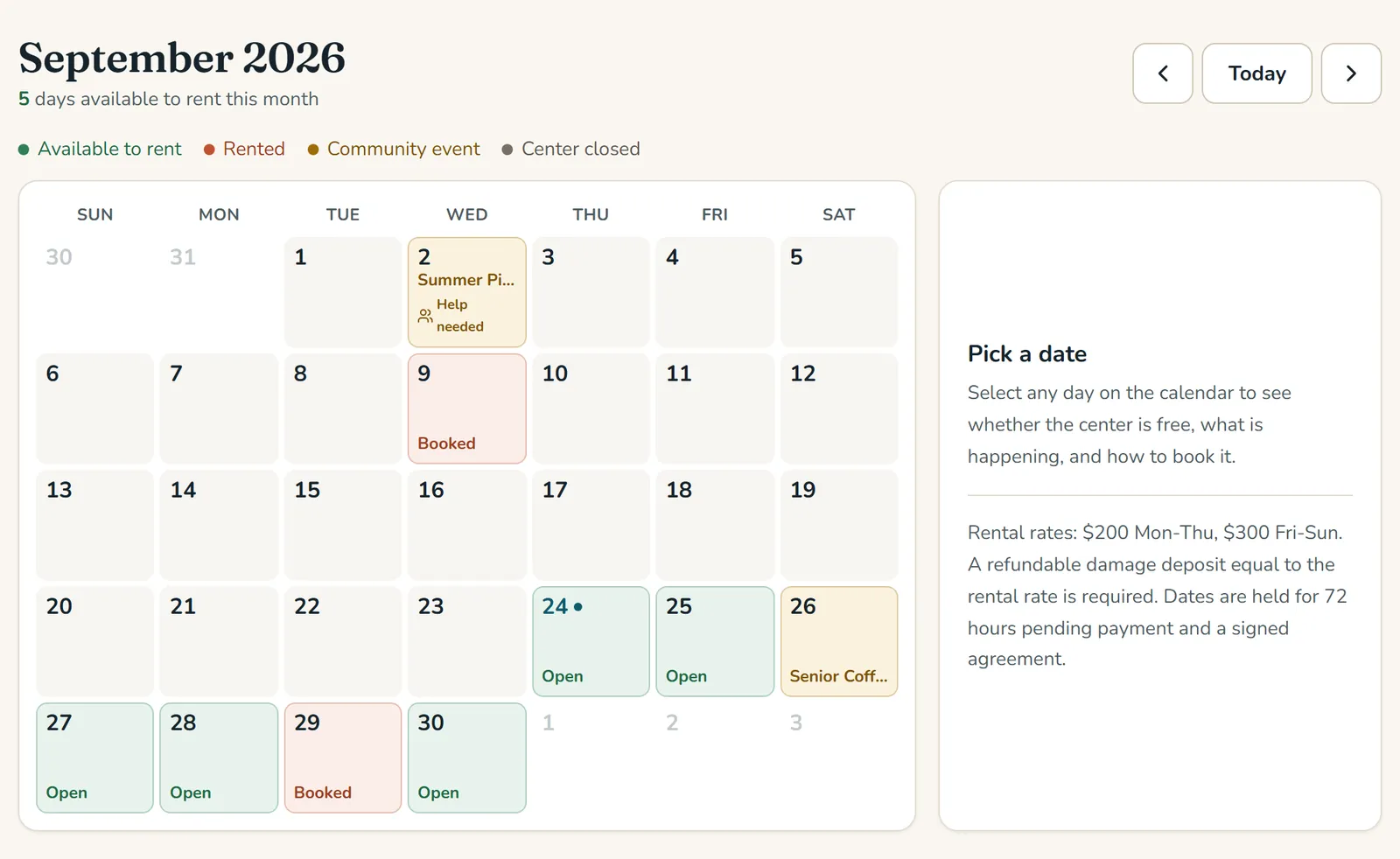
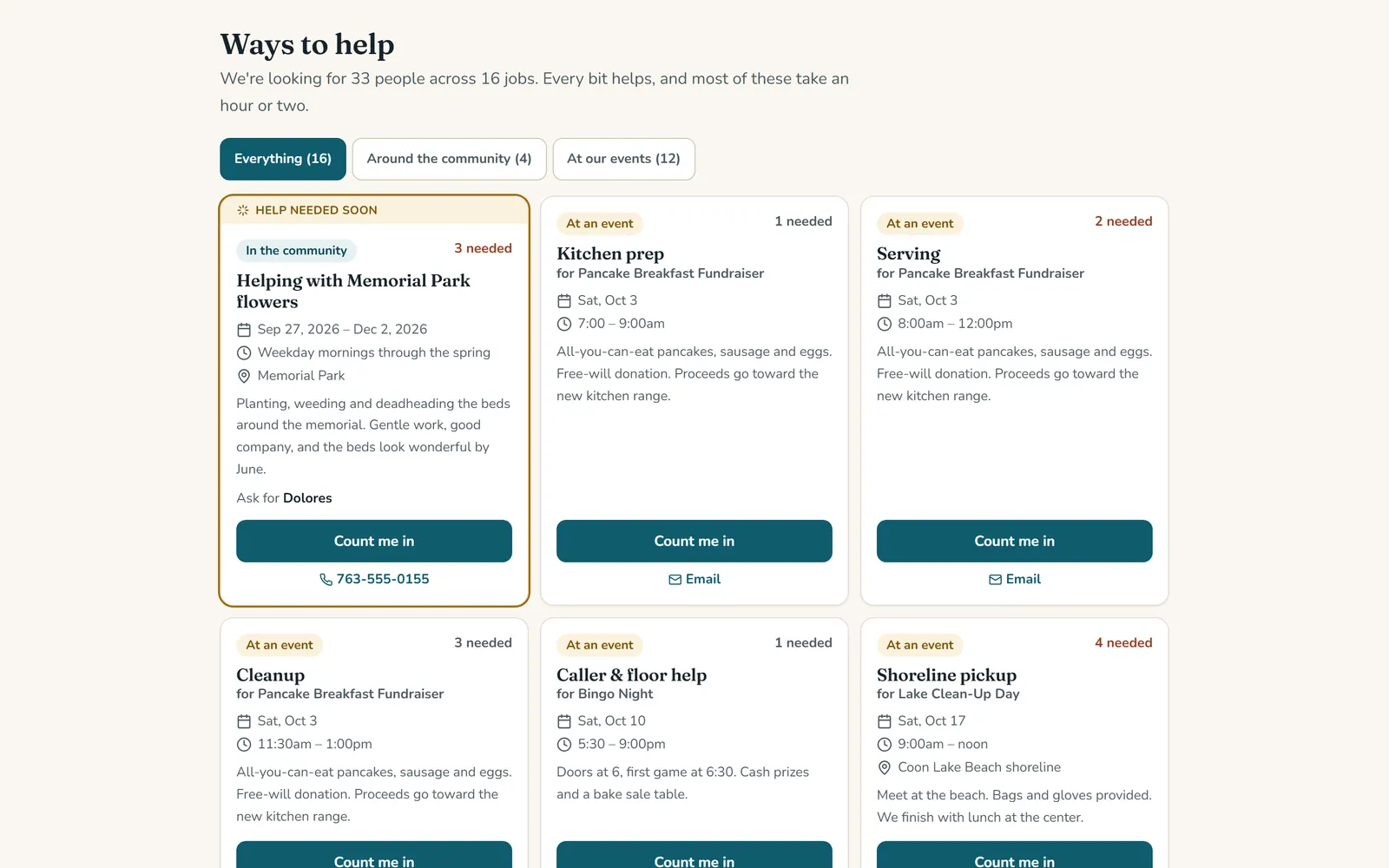
The center rents out its hall and runs its community events on volunteers. This sits inside their existing Wix website: a public calendar of open dates and events, and a volunteer board, both fed by a private staff backend. A change saved in the backend shows on the website within about a minute, with nothing to republish.

  • Rental requests land in one inbox and move from new to booked, with a warning if the date has been taken since
  • Payments, deposits and signed agreements tracked on every rental, with what's still owed on the dashboard
  • A volunteer board where people sign up without leaving the website, and full jobs drop off by themselves
  • Separate sign-ins for the manager, the volunteer coordinator, the board and event requestors. Renter names and contact details never reach anyone who doesn't need them
  • A calendar feed the board can subscribe to in Google, Apple or Outlook
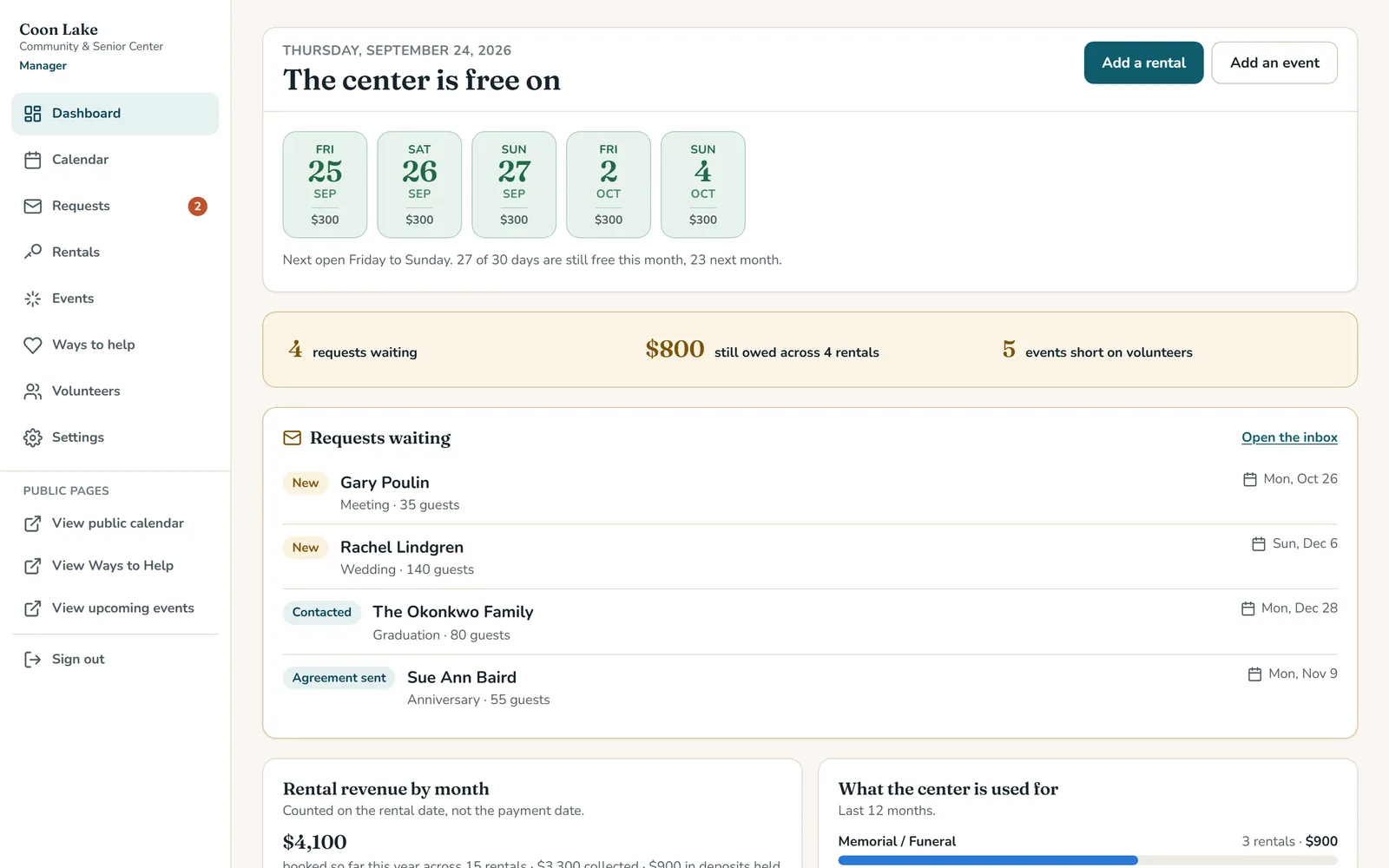
Rental manager dashboard showing the next open dates, requests waiting, and balances owed
Public rental calendar color coded by open, booked, and community event dates
Volunteer board of cards listing each job, when it is, and how many people are still needed
Shown with sample data, not real clients.

Chris Siverhus and team, RE/MAX Synergy

The Listing Desk

Seller journey tracker with drafted client emails

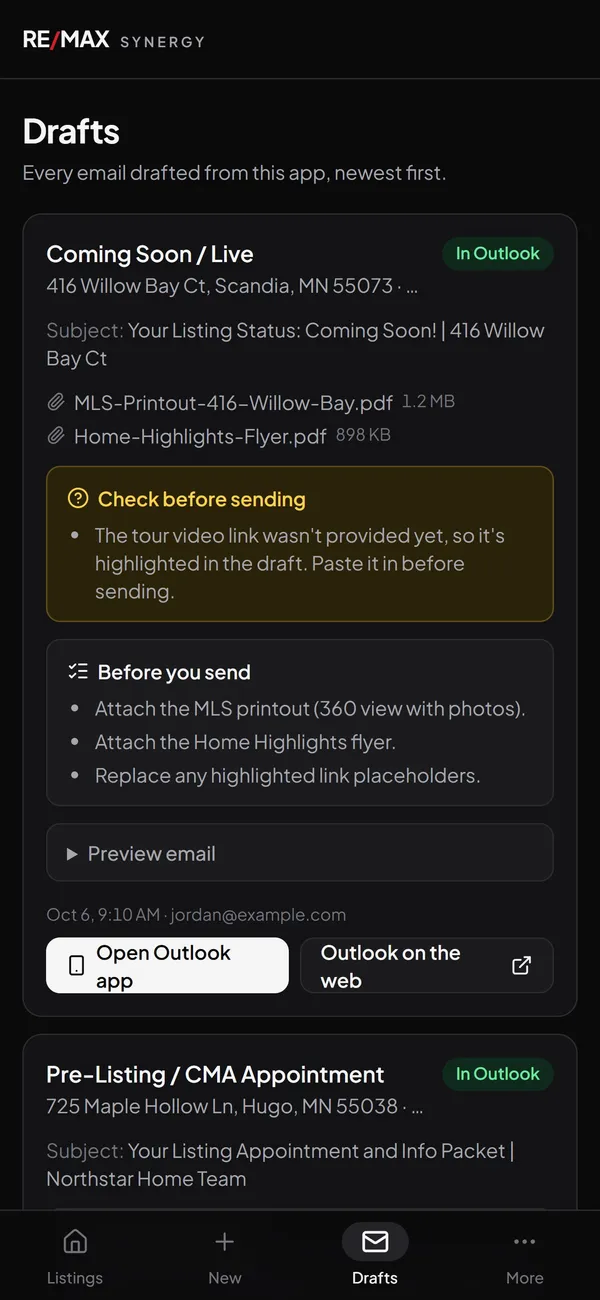
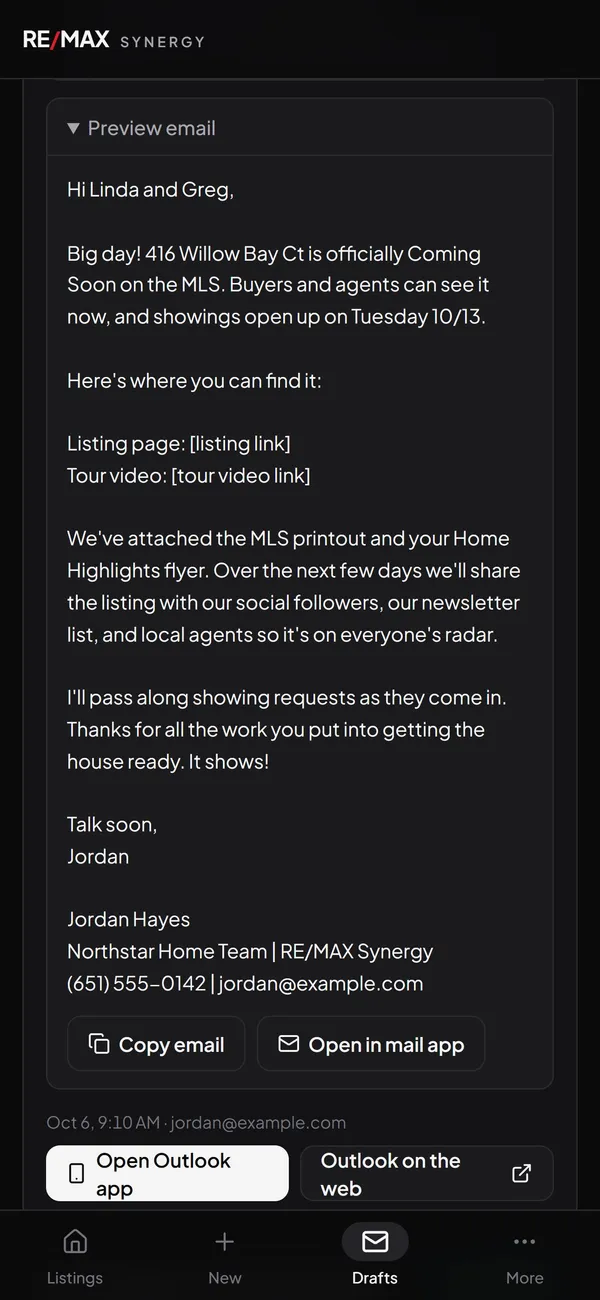
Every step of selling a home comes with a client email: the appointment confirmation, the welcome, the price change, under contract, closed. The agent logs the step from their phone, and the matching email is drafted by AI from the team's own templates. It waits in their Outlook or Gmail drafts until they've read it.

  • Listing appointment, launch, price change, contract and closing, each logged from a phone
  • The matching client email drafted from the team's templates and placed in Outlook or Gmail drafts for review
  • Calendar invites for the listing appointment and the photo shoot, sent from the agent's own calendar
  • Every step logged as a note on the seller in the team's BoldTrail CRM
  • Closed sales kept by year, out of the way of active listings
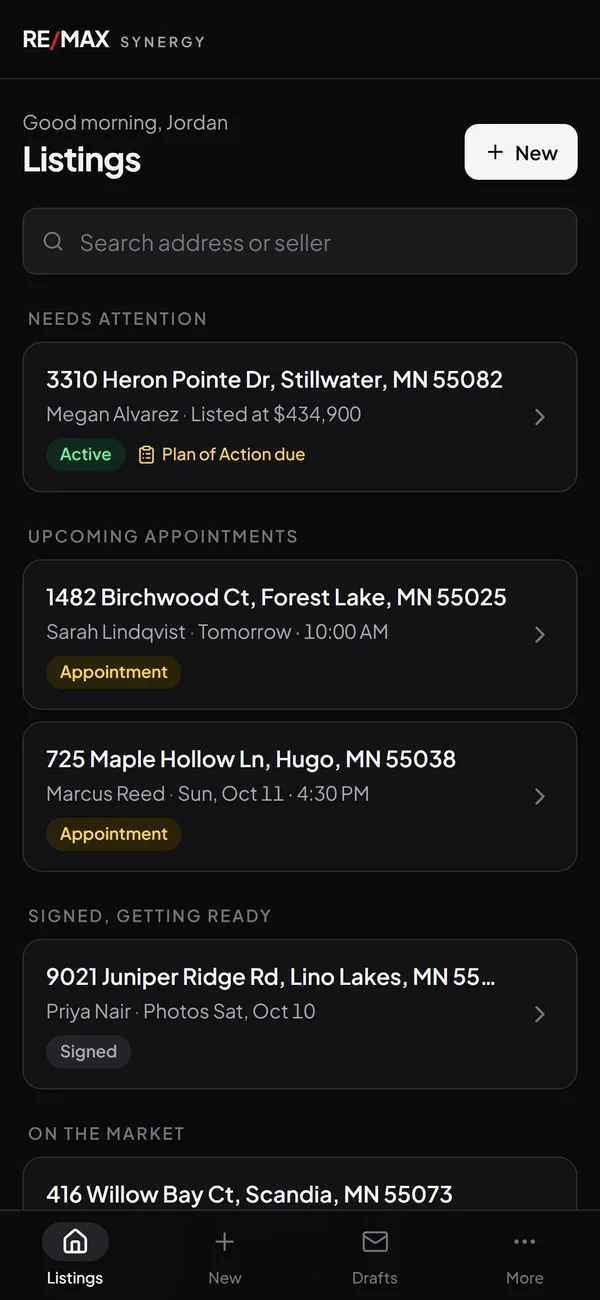
Phone screen listing active listings, upcoming appointments, and listings that need attention
Phone screen of client emails drafted by the app, each marked as waiting in Outlook
Phone screen previewing a drafted Coming Soon email to a seller
Shown with sample data, not real clients.

What custom software is good for

If the same steps happen every week and they live in a spreadsheet, an inbox, or somebody's memory, they can live somewhere better.

  • Booking and scheduling

    A calendar that shows what's open, takes requests, and leaves one person in charge of saying yes.

  • Requests and approvals

    Requests land in one inbox with a status on each, instead of sitting in somebody's email.

  • Client follow-up

    The emails you send at the same step every time, drafted for you to read and send.

  • Money owed

    Payments, deposits and balances tracked against the job they belong to.

  • Signups

    Volunteers, staff or customers signing up for a slot, with the list kept for you.

  • Who sees what

    A sign-in for each role, so each person sees their part and private details stay private.

How this goes

  1. Show me how it works now

    Walk me through the steps, the people involved, and where it all lives today: the spreadsheet, the paper calendar, the email you keep retyping.

  2. I build it around that

    Your steps, your words for things, and a sign-in for each role that needs one. Nothing for your team to unlearn.

  3. Your team gets it

    It goes live with a plain-English guide for each person who uses it. When something needs to change, you call me, not a help desk.

Custom software questions, answered

Do we need to install anything?
No. It runs in a web browser on a computer or a phone. Your team signs in and uses it.
Can it work with what we already use?
That's usually the point. The Coon Lake calendar sits inside the center's existing Wix website, and the Listing Desk drafts into Outlook or Gmail and logs notes in the team's CRM.
Who can see our information?
Only the people you decide. At Coon Lake the board can see the money but not renters' names, and the public calendar only shows that a date is taken. That's enforced on the server, not just hidden on the screen.
What does it cost?
It depends on what it has to do, so every project is quoted after we talk it through. You get the number in writing before any work starts.
Is this only for real estate and community centers?
No. Those are the two I can show you. If your business repeats the same steps every week and those steps live in a spreadsheet, an inbox, or somebody's memory, it's worth a conversation.

Need the website it plugs into? I build those too.

Tell me what your week runs on.

Walk me through the part of your business that lives in a spreadsheet or an inbox, and I'll tell you what it would take to build. I reply within 48 hours, every time.

Call MelGet a free quote